To change the editor language, open the menu located under the three-line icon in the upper-left corner of the editor window.
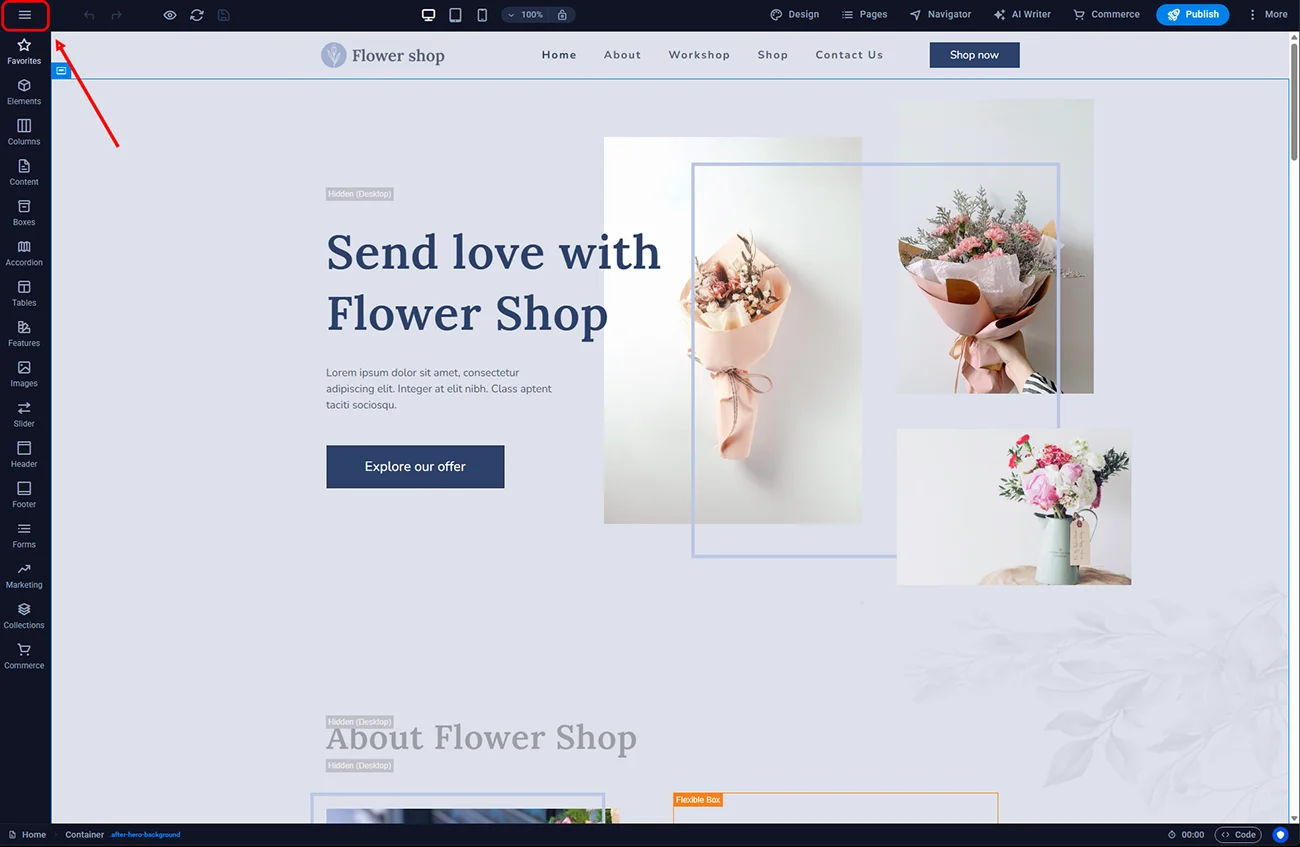
Sitejet Builder - main menu
Go to Preferences -> CMS INTERFACE LANGUAGE and choose your desired language
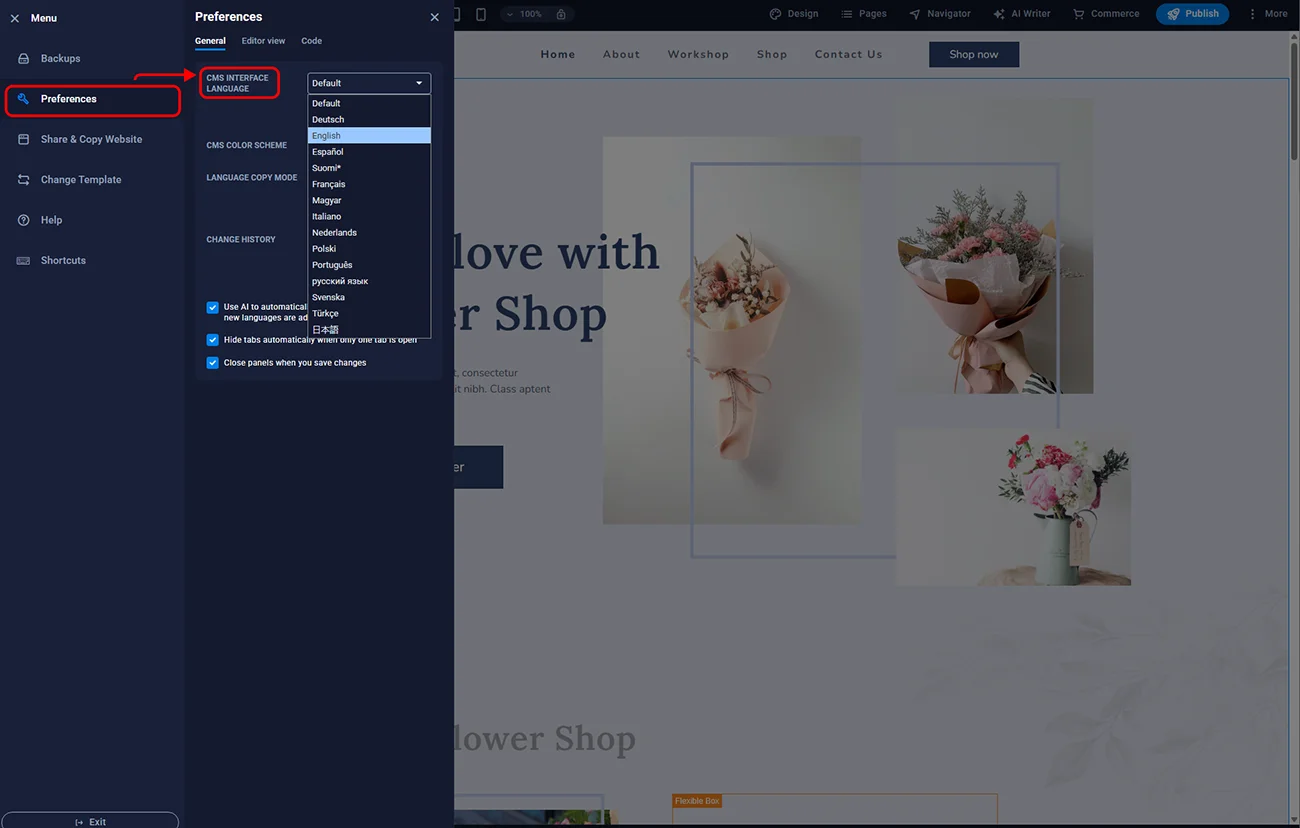
Sitejet Builder - editor language
After selecting the language, a message will appear informing you that the editor requires reloading to apply the new language. Click the Reload Now button and wait for the editor to reload in the new language version.
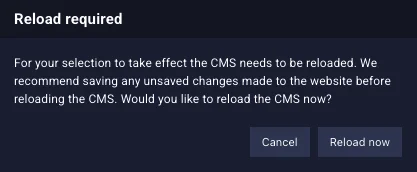
Sitejet Builder - editor reload

© 2026 Smartx Technologies LTD. All rights reserved.
