Sitejet Builder features two built-in colour schemes for the editor: dark and light. The default setting for this parameter is automatic mode, which detects the theme of the browser and adjusts its colour scheme accordingly. However, it is possible to force a specific editor colour theme regardless of the browser settings. To do this, click the settings icon (three lines) in the left sidebar.
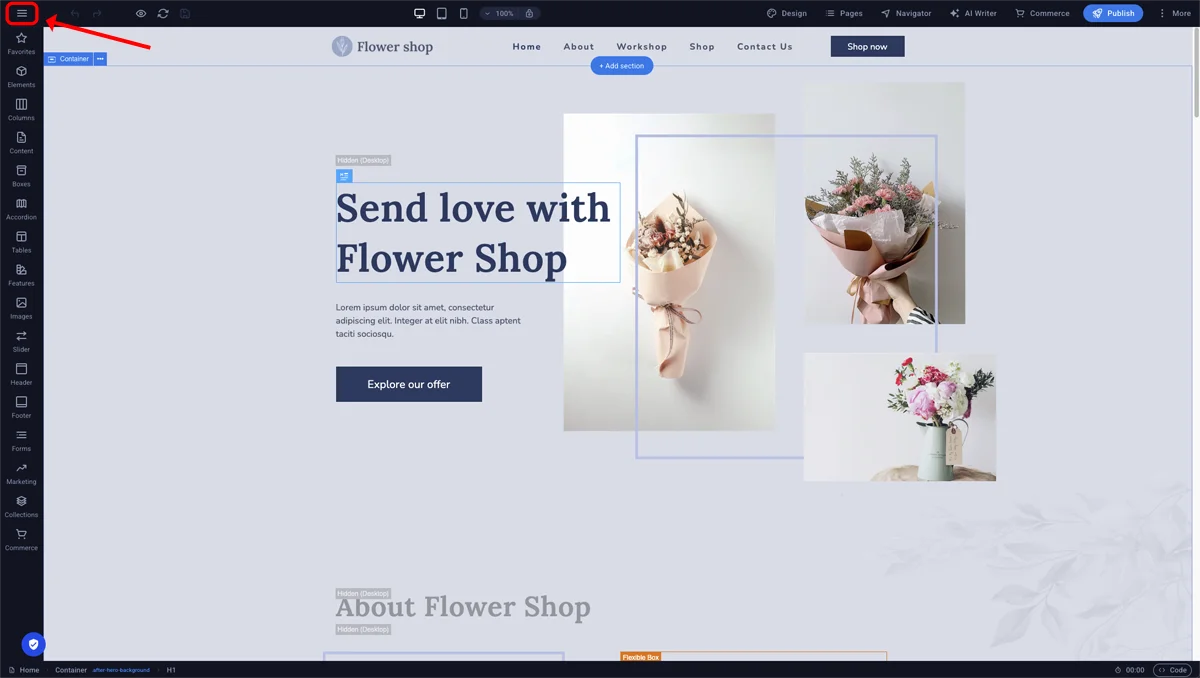
Sitejet Builder - editor settings
Next, go to Preferences -> CMS Color Scheme. The dropdown menu in this section contains three options: Auto (default setting), Dark and Light.
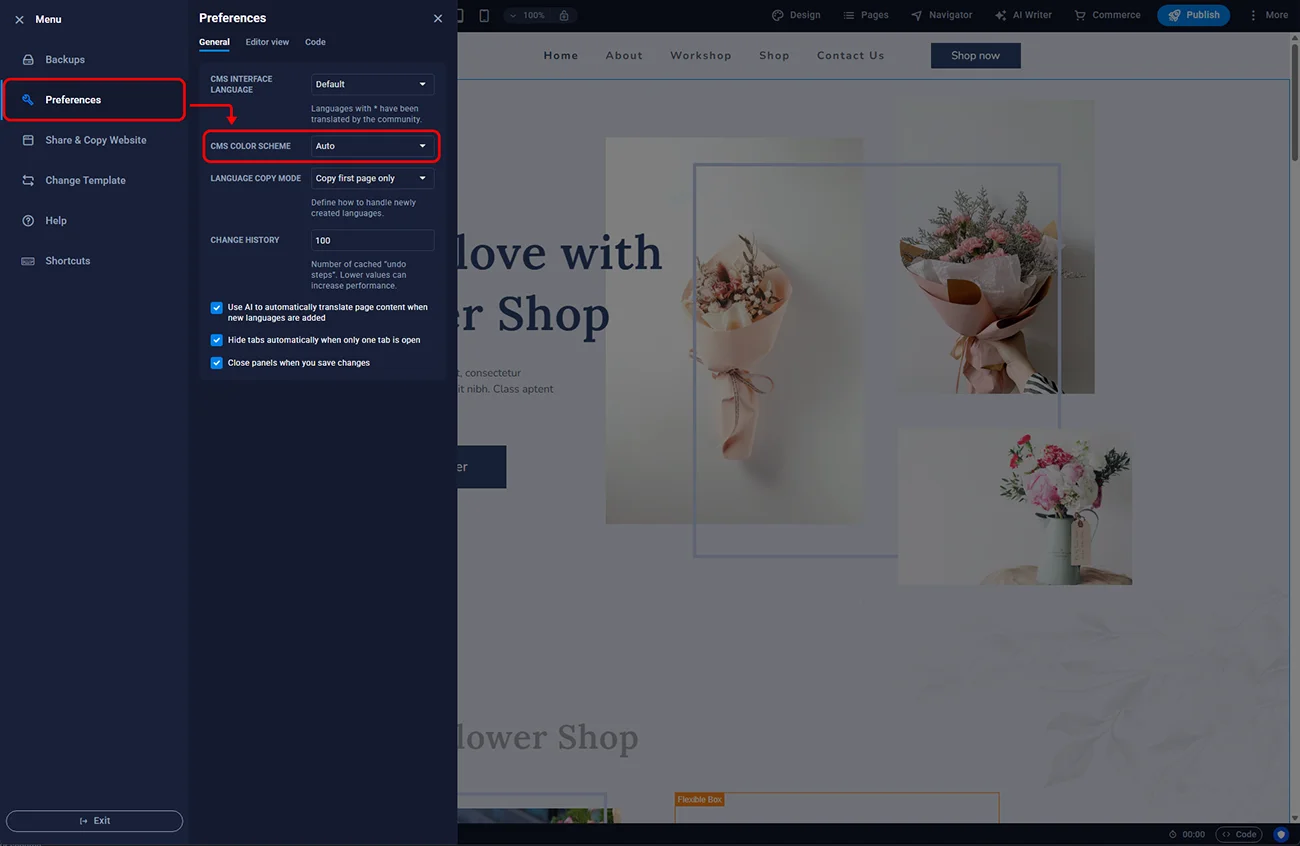
Sitejet Builder - editor colour scheme
Selecting the Light option here will switch the editor to this mode, regardless of the browser theme.
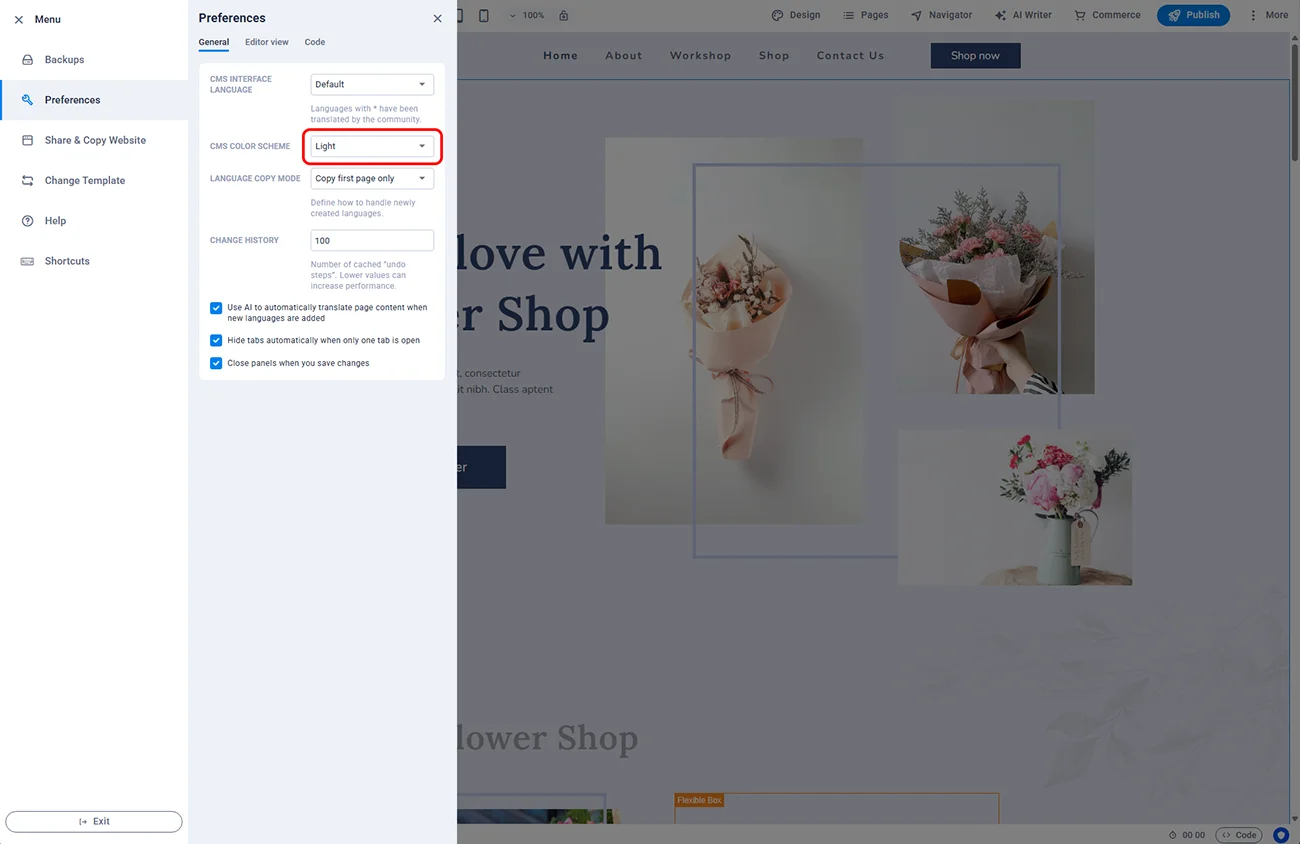
Sitejet Builder - light colour scheme
The colour scheme setting in Sitejet Builder is not linked to the websites created within it and will apply to every launch of the editor under a single subscription.

© 2026 Smartx Technologies LTD. All rights reserved.
